YouTube search optimisation
 Matthew BoyleLast updated: 29 October 2026
If you are looking for a YouTube search optimisation expert and services, we have a separate guide on that where you can learn more: YouTube search optimisation expert services.
A guide to ranking higher in YouTube search
Create chapters for each video that warrant them
You can probably skip this tip for smaller videos or shorts where there is only one message but if your video is, for example, a guide on multiple subjects, then it is important to add them in. Chapters are not only useful for your users to navigate to the most important part of they video they want to watch but they are great for machines to understand the content of your video to. Just like a book that has chapters that helps you navigate, so too, do chapters. Be descriptive with your chapters names too.
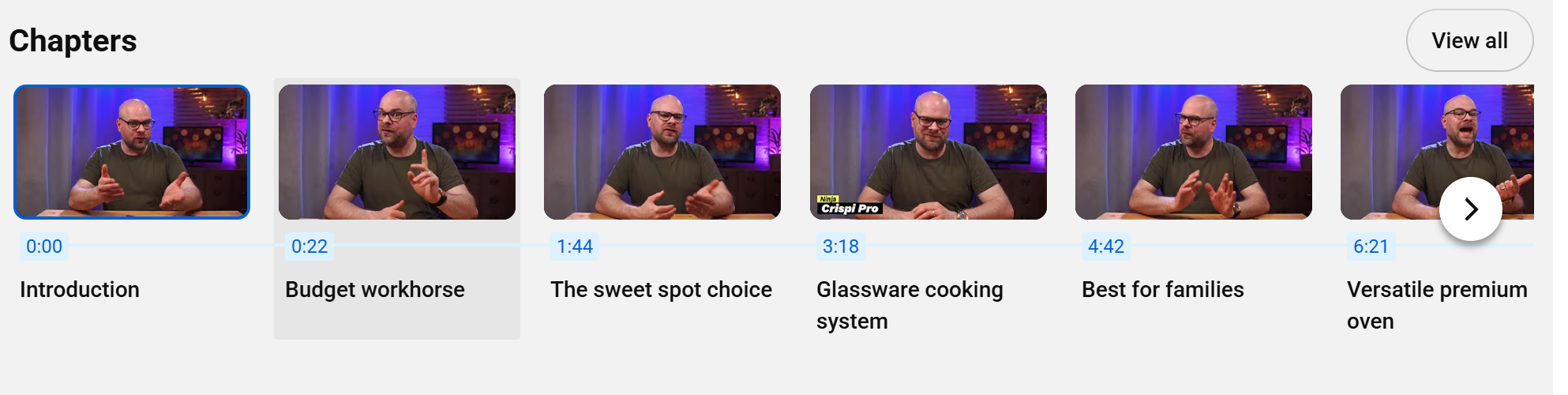
This creator adds chapters to each video he publishes ensuring users and AIs can get to the right place quickly.
Test YouTube ads if you have the budget
If you've got budget to spare, YouTube ads let you reach people while they're watching content related to what you offer. They run through Google Ads, so you can target by keywords, topics, interests and the kinds of videos people watch.
You can run skippable ads before or during videos, short non-skippable ads, ads in search results and ads on Shorts. With skippable ads, the first five seconds matter most, so get to the point fast.
Video ads take more effort to make and can eat budget quickly, so start small, test a couple of versions and track what actually leads to sales or sign-ups.
YouTube: Show the person behind the channel
This one’s a bit controversial, so take it with a pinch of salt. Plenty of AI-made videos rack up huge views on YouTube, and AI has its place.
But if your channel relies on trust, think carefully. Product reviews, tutorials and advice on serious topics like finance or health all work best when viewers can see and hear a real person who has genuinely done the thing.
Film the product in your own hands, use your own voice rather than an AI voiceover and share your honest opinion. Viewers subscribe to people they trust, and that trust comes from authenticity.
Consider hiring a YouTube SEO expert
YouTube is the world's second-biggest search engine, and getting your videos found takes more than just hitting upload. If your views have stalled, an expert can help. You could hire a freelance consultant, an agency or pay for one-off services like a channel audit.
A good expert will research what your audience is searching for, then optimise your titles, descriptions, tags and thumbnails to match. They'll also dig into your analytics, especially watch time and click-through rate, to show you what keeps viewers watching.
Be careful when hiring. Ask for real results from channels like yours. Steer clear of anyone offering to buy views, subscribers or likes, as YouTube can penalise or even remove your channel. And make sure they explain things in plain English, so you learn along the way.
Learn from your best-performing videos
Your own channel is one of your best sources of ideas. In YouTube Studio, check which videos get the most views, the longest watch time and the highest click-through rate.
Then look for patterns. Is it the topic, the title style, the thumbnail or the video length that makes them work? Check the traffic sources too, because YouTube shows you the exact search terms people used to find each video.
Once you know what works, do more of it. Make follow-up videos, try similar titles and thumbnails, and target the search terms that are already bringing viewers in.
Remember the comments are your new reviews
People don't just watch YouTube videos about products. They read the comments to see what others really think. Many people now trust their favourite creators and the comment sections more than testimonials on a business's website. Reply to comments on your own videos, answer questions helpfully and thank people for feedback. Look for creators in your niche who might review or feature your products or brand. A creator's honest opinion, and a positive comment section underneath, can do more for your business than any review page. You can also reply to comments if there is anything factually incorrect or misleading.
Starting out
Growing your channel with 0 subscribers? These tips can help a noob.
Choose your niche and stick to it
Before you make a single video, decide what your channel is about. Video games, recipes, travel: pick one and don’t try to cover everything.
A focused channel helps YouTube understand who your videos are for, so it can recommend them to the right viewers and show them in relevant searches. It also gives people a reason to subscribe, because they know what they’ll get next.
Don’t try to take on the whole world. Stick to your topic, keep posting, and watch your authority and reach grow.
Be patient: Rarely does success happen overnight
YouTube search isn’t an easy game to win. Some videos take off quickly, but for most businesses success takes months, not days.
Don’t give up if your first few videos don’t get many views. Stick to the strategies in this guide: research your keywords, write clear titles and descriptions, add chapters and keep improving your thumbnails. Each video teaches YouTube a little more about who to show you to.
Keep posting, keep checking your results and keep adjusting. The channels that win on YouTube search are usually the ones that keep going.
Don’t panic and delete a video if it fails to grow
Many creators believe a video’s first hour decides its fate, and give up if early views are low. YouTube says that’s not how it works. Its recommendations are built for each viewer at the moment they open the app, based on what they watch, the time of day and the device they use. So a video can be shown to the right people days or weeks after you post it, and not just to your subscribers. Instead of deleting or re-uploading a slow starter, give it time. Check your analytics after a few weeks, not a few hours.
Make videos people are glad they watched
YouTube doesn’t just count how long people watch. It also asks viewers what they thought, through short satisfaction surveys, and looks at signals like dislikes and when people choose “Not interested”. That means a clickbait title might win a click, but if viewers feel misled, YouTube learns not to recommend you. Make sure your video delivers exactly what your title and thumbnail promise, and get to the point quickly. Ask yourself at the end of every edit: would a viewer feel this was worth their time? If the answer is yes, YouTube is more likely to show it to more people.
Treat your channel page like a landing page
When someone clicks through to your channel, your channel page is their first impression of your brand. Treat it like the homepage of your website and spend real time getting it right.
Make it feel authentic and true to who you are. Use a clear profile picture and banner, write a description that says what your channel is about and who it’s for, and add a channel trailer that shows your personality.
Organise your videos into playlists so new visitors can find your best content quickly. Get this right and more visitors will stay, watch and subscribe.
Stay plugged into the YouTube community
YouTube's algorithm, Shorts and monetisation rules keep evolving, and the creators who grow are the ones who adapt.
YouTube Secrets by Sean Cannell and Benji Travis is a solid, practical book on growing a channel. On Reddit, r/NewTubers is one of the biggest creator communities around, with hundreds of thousands of members sharing channel critiques and growth tips. Once you're monetised, r/PartneredYoutube is the place for more advanced strategy.
Keep learning, keep testing, and don't let your channel fall behind.
Optimising YouTube for traditional search engines
YouTube videos are often embedded within traditional search engines. Learn how to get in this real estate.
See how your YouTube channel performs in Google search
You can add your YouTube property to Google Search Console. This gives you data and analytics about how your channel performs across the Google search platform. From here you can see which videos are getting clicks, impressions and visits and where from. You might discover that certain videos that didn't perform well in YouTube's own internal platform, actually does well on the web for something people are searching for. You may discover a new channel for growth you had not thought about before. In the report it gives information around the queries people are typing in, the content they are seeing from your channel, the country the user came from and device they used which is useful information for producing future content.
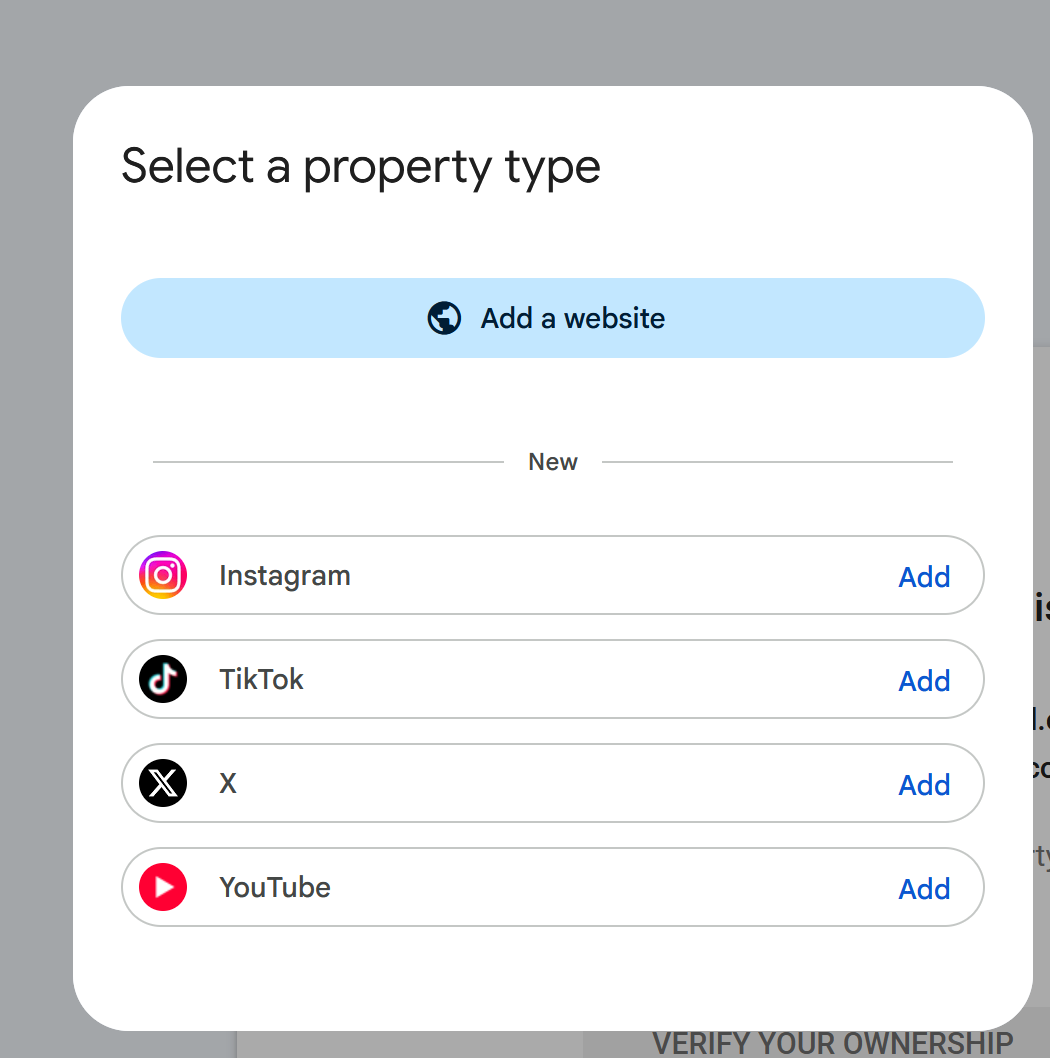
Google now provides the ability to see your YouTube search console performance via Google Search Console so you can see data around Google search visits.
Check how your videos show up on Google
Your YouTube videos can appear in Google’s main results, its Videos tab and its Short videos tab. So don’t just watch your YouTube stats. Search your most important keywords on Google regularly, or use a rank tracking tool, and see which videos appear.
Look closely at what wins. Search “best air fryers” and the Short videos tab is full of hands-on tests, with titles like “I tested 10 air fryers” and the search term written in big, bold text on the thumbnail. Most are one to two minutes long.
Work out what the winning videos in your niche have in common, then make more videos like them.
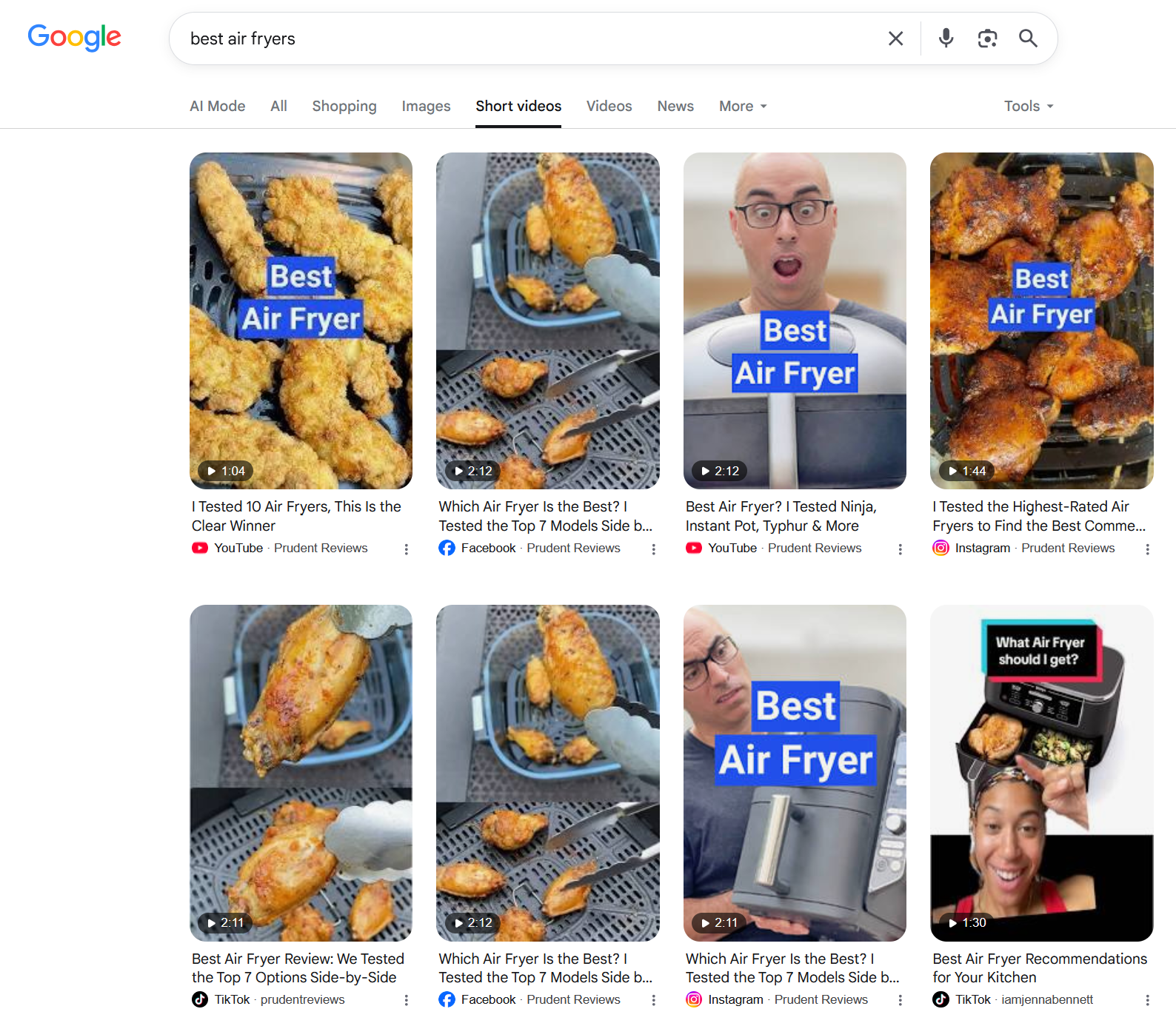
Repurpose your video to post on other platforms.
Search “best air fryers” on Google and look at the Short videos tab. One reviewer, Prudent Reviews, takes seven of the top eight spots. They didn’t make seven videos. They posted the same short review on YouTube, Facebook, Instagram and TikTok, and Google shows each version.
You can do the same. Every time you make a short video, post it on every platform your customers use. Write a title that matches what people search for, and put the search term on the thumbnail. One video, four chances to be found. I would suggest that the video content is native to the platform. Shortform content for TikTok etc.
Shorts
A dedicated section to optimise for shorts.
Make your Shorts original
If your Shorts mostly reuse other people’s clips, your reach is likely to drop. Since 1 October 2026, YouTube’s Shorts feed favours original videos and cuts reach for channels that re-upload content. Using clips from other creators still works if you add your own commentary, edits or storytelling, but small technical tweaks or template changes don’t count as your own work. For a small business, the fix is simple: film your own Shorts. Show your products, your team, quick tips or behind-the-scenes moments. If you do use other footage, compare your Shorts traffic in YouTube Studio before and after the change.
Research
Tips around researching before uploading and publishing.
Find video ideas in YouTube Studio's Research tab
Not sure what video to make next? Open YouTube Studio and go to the Research tab. It shows what people in your niche are searching for and watching. Pick topics that match what you sell and that people are already looking for, then answer them clearly in your video. It's the YouTube version of keyword research, and it's free.
Use keyword research tools to find video ideas
Before you film anything, find out what people are actually searching for on YouTube. Third-party keyword research tools, such as vidIQ, TubeBuddy and Ahrefs, estimate how often topics and phrases are searched on YouTube. The numbers are estimates, but they’re a reliable guide to what your audience wants to watch. Type in a broad topic from your niche and look at the related searches it suggests. You’ll often find specific questions and problems you hadn’t thought of. Whatever your business, from plumbing to pet grooming, there are people searching for help. These tools show you where to start.
Matthew Boyle
Digital Marketing Consultant · ~20 years experience
Matthew Boyle has over 20 years experience in digital marketing covering a wide range of topic areas. He is available for a one-off consultation or ongoing support.
View my LinkedIn profile